
 Español
 Português PT
 English
 Français
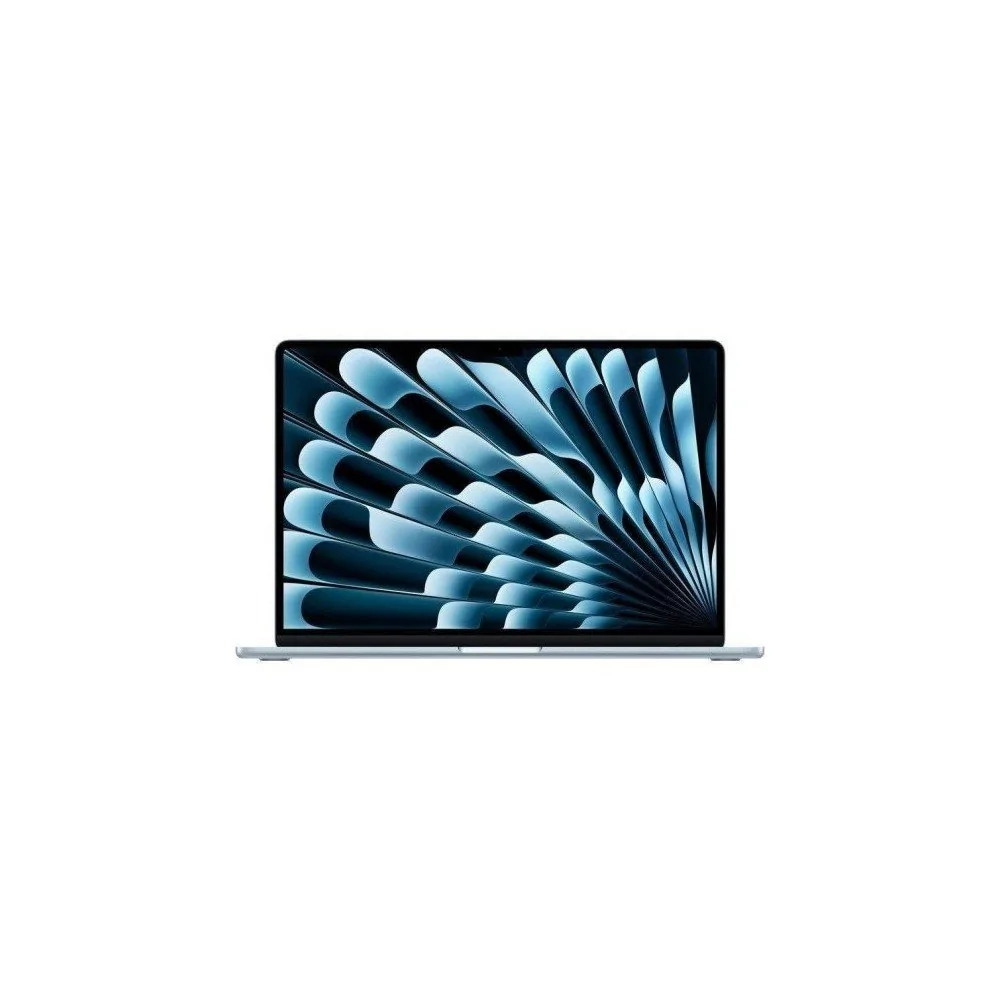




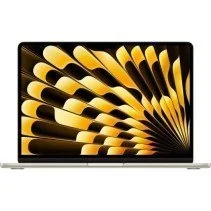
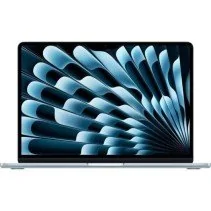
MacBook Air M5

New Product. European Warranty

Fast and free shipping

Multiple payment methods

Return policy

The MacBook Air is incredibly light. Weighing just 1.23 kg and measuring a little over a centimeter thick, you’ll want to take it everywhere. Plus, it’s built with over 50% recycled materials, and its durable recycled aluminum enclosure is built to withstand whatever comes its way.
The 13-inch MacBook Air is the pinnacle of portability, while the 15-inch model gives you more screen real estate so multitasking can run wild.
Powered by the potent combination of the M5 chip's GPU, Neural Engine, and unified memory, the MacBook Air delivers stratospheric AI performance. Featuring a Neural Accelerator integrated into every GPU core, AI tasks run even more efficiently. From AI image upscaling to integrating the latest large language models, your productivity and creativity have no ceiling.
With the M5 chip, everything is faster and smoother—whether you're working with a flurry of open apps and tabs, editing 4K video, or diving into epic gaming sessions with titles like InZOI. Plus, its fanless design makes it ultra-quiet.
The MacBook Air runs for up to 18 hours on a single charge and refills up to 50% in just 30 minutes.16 That way, you can focus on working, studying, or watching movies without hunting for wall outlets.
The MacBook Air with the M5 chip is engineered to help everyone—from students to entrepreneurs and creative professionals—make the most of AI while keeping privacy intact. Whether you're using powerful Apple Intelligence features across apps and macOS, running local language models on your Mac, or coding with AI assistance, watch your productivity skyrocket without ever worrying about security.
The Mac is optimized for artificial intelligence apps like ChatGPT, LM Studio, Msty Studio, Topaz Video, and Topaz Photo. Learn more efficiently, bring new ideas to life, and do everything you set your mind to.
The Mac works like magic. With smart tools, your productivity and creativity will soar, whether you're editing images in Photoshop, rendering 3D models in Shapr3D, or cutting videos in Final Cut Pro.
Apple Intelligence is a personal intelligence system that helps you write, express yourself, and effortlessly tackle everyday tasks. It features breakthrough privacy protections to ensure no one else can access your data—not even Apple.
Apple Intelligence is designed to protect your privacy at every turn, deeply integrated into the Mac through on-device processing. In other words, it understands your personal information without ever collecting it.
The innovative Private Cloud Compute feature allows Apple Intelligence to draw on larger server-based models powered by Apple silicon to process more complex requests with complete privacy.
macOS is built to adapt to the way you work, create, and communicate, featuring advanced apps you can run simultaneously without missing a beat. Your ideas move at top speed.
Handle a thousand things on the fly without lifting your fingers from the keyboard—from finding files and apps to sending messages, all right from Spotlight.
Clarity has arrived. The new Liquid Glass design makes navigating menus and controls smoother while offering more ways to customize them. Switch icons from light to dark or choose an elegant translucent look.
Place your most-used controls in Control Center, such as tiled windows, screenshots, and shortcuts to your favorite apps. Thanks to the transparent design, your screen stays clean and uncluttered.
Communicate across languages and translate text instantly in Messages, live captions in FaceTime, and spoken calls in the Phone app. Your personality knows no borders.
The Mac and iPhone are incredible on their own, but together they’re unstoppable. With Continuity features, you can seamlessly jump between devices to share files and photos, or even work on the exact same task.
The MacBook Air Liquid Retina display reproduces one billion colors and delivers breathtaking resolution. Photos and movies exhibit unprecedented contrast and detail, and text appears razor-sharp.
The MagSafe port features magnets that snap the charging cable securely into place and instantly release if someone trips over it. Two Thunderbolt 4 ports let you connect and charge high-speed accessories. The 3.5mm headphone jack supports high-impedance headphones. Plus, Apple’s N1 chip enhances performance and reliability with cutting-edge Wi‑Fi 7 and Bluetooth 6 wireless connections.
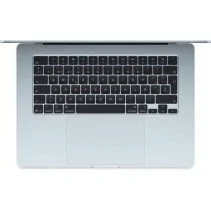
Touch ID on the Magic Keyboard is the easiest, fastest, and most secure way to unlock your Mac, sign into accounts, and authorize online payments. Additionally, advanced encryption, robust virus protection, and automatic security updates keep your data locked down tight.
Processor
Chip: Apple M5
CPU: 10 cores (4 performance cores and 6 efficiency cores)
GPU: 10 cores
Neural Engine: 16 cores
Ray Tracing: Hardware-accelerated
Memory bandwidth: 153 GB/s
Memory
Unified memory: 16 GB
Storage
SSD: 512 GB
Display
Type: Liquid Retina with IPS technology
Size: 15.3 inches
Resolution: 2880 × 1864 pixels
Density: 224 ppi
Brightness: 500 nits
Color: Supports 1 billion colors
Color gamut: P3
Technology: True Tone
Media Engine
Hardware-accelerated H.264, HEVC, ProRes, and ProRes RAW
Video decode engine
Video encode engine
ProRes encode and decode engine
AV1 decoding
Battery
Up to 18 hours of video playback streaming
Up to 15 hours of wireless web browsing
Built-in 66.5-watt-hour lithium-polymer battery
Charging via MagSafe 3 or USB-C
Minimum charging power: 35 W
Fast-charge capable with a 70W USB PD power adapter or higher
Ports and Connections
1 MagSafe 3 charging port
2 Thunderbolt 4 / USB-C ports (up to 40 Gb/s)
DisplayPort compatible
3.5 mm headphone jack
External Monitor Support
Up to 2 external displays with 6K resolution at 60 Hz or 4K at 144 Hz
1 external display up to 8K at 60 Hz or 4K at 240 Hz
Supports DisplayPort 1.4 (HBR3) and DSC
Connectivity
Wi-Fi 7 (802.11be)
Bluetooth 6
Thread networking technology
Camera
12 MP Center Stage camera
1080p HD video recording
Advanced image signal processor
Audio
Six-speaker sound system with force-cancelling woofers
Spatial Audio with support for Dolby Atmos
Three-mic array with directional beamforming
Mic modes: Voice Isolation and Wide Spectrum
3.5 mm headphone jack with advanced support for high-impedance headphones
Keyboard and Trackpad
Backlit Magic Keyboard
78 (U.S.) or 79 (ISO) keys
Integrated Touch ID
Ambient light sensor
Force Touch trackpad for precise cursor control and pressure-sensing capabilities
Dimensions and Weight
Height: 1.15 cm (0.45 inches)
Width: 34.04 cm (13.40 inches)
Depth: 23.76 cm (9.35 inches)
Weight: 1.51 kg (3.33 pounds)
Operating System
macOS
Yes. This configuration combines the Apple M5 chip with a 10-core CPU, 10-core GPU, 16 GB of unified memory, and a 512 GB SSD. It is a suitable option for studies, office automation, multi-tab browsing, video calls, programming, productivity, and creative work.
Yes. 16 GB offers adequate capacity for office work, browsing, programming, productivity, and routine multitasking. For professional workloads that continuously use large amounts of memory, Apple allows configuring the 15-inch MacBook Air M5 with 24 GB or 32 GB.
No. Unified memory is built directly into the Apple Silicon architecture and is not designed to be user-upgradable after purchase. Therefore, it is best to choose a memory capacity appropriate for your intended use at the time of purchase.
It depends on your usage. 512 GB provides space for macOS, applications, documents, photos, and other files. For users who store large libraries of photos, videos, or heavy projects directly on the device, a higher-capacity configuration or utilizing external storage may be more convenient.
Internal storage is not designed to be user-upgradable after purchase. If you need more capacity in the future, compatible external SSD drives or cloud storage services can be used.
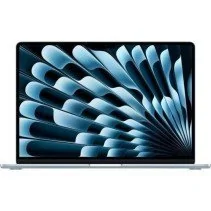
The 15-inch model features a 15.3-inch Liquid Retina display and provides more space for documents, spreadsheets, programming, editing, and multiple open windows. The 13-inch MacBook Air is more compact, whereas the 15-inch model prioritizes a larger workspace.
The 15.3-inch Liquid Retina display has a native resolution of 2880 x 1864 pixels, a pixel density of 224 pixels per inch, and 500 nits of brightness. It also offers wide P3 color gamut, True Tone technology, and support for 1 billion colors.
No. The MacBook Air M5 does not feature the ProMotion technology up to 120 Hz found in certain MacBook Pro models. If a high refresh rate is a priority, it is worth keeping this difference in mind before choosing between a MacBook Air and a MacBook Pro.
Yes. The M5 chip and 16 GB of unified memory provide a suitable configuration for programming and development environments compatible with macOS and Apple Silicon. If you plan to use virtual machines, containers, or particularly demanding tools, be sure to check their memory and compatibility requirements before choosing your configuration.
Yes. The M5 chip includes hardware acceleration for H.264, HEVC, ProRes, and ProRes RAW, alongside video encoding and decoding engines and AV1 decoding support. Apple explicitly lists 4K video editing among the tasks the MacBook Air M5 can perform.
No. The MacBook Air uses a fanless design, allowing it to operate silently. During rendering and other highly demanding workloads sustained over long periods, passive cooling may exhibit different sustained performance compared to an actively cooled MacBook Pro.
Yes. The M5 chip incorporates a 16-core Neural Engine and Neural Accelerators, and it is compatible with Apple Intelligence. It can also run compatible applications that leverage the CPU, GPU, and Neural Engine for artificial intelligence workloads.
Apple rates it for up to 18 hours of video streaming and up to 15 hours of wireless web browsing under testing conditions. Actual battery life may vary depending on screen brightness, applications used, wireless connectivity, and workload.
Yes. Apple specifies that the MacBook Air M5 can reach up to 50% charge in approximately 30 minutes using a 70W USB-C power adapter or higher compatible with USB Power Delivery.
It features a MagSafe 3 charging port, two Thunderbolt 4 (USB-C) ports, and a 3.5 mm headphone jack. The Thunderbolt 4 ports allow you to connect accessories, storage drives, and compatible external displays.
Yes, if you need to use these types of connections directly. The MacBook Air M5 does not include an HDMI port, USB-A, or an SD card reader, so a compatible adapter, USB-C hub, or Thunderbolt dock must be used for these devices.
Yes. The MacBook Air with the M5 chip supports up to two compatible external monitors in addition to the built-in display, so it can be used on a desk with a multi-display setup.
Yes. The MacBook Air M5 incorporates Apple's N1 wireless chip and supports Wi-Fi 7 and Bluetooth 6. To take advantage of Wi-Fi 7 performance, you also need a compatible router and network.
The 15-inch model maintains a thin and lightweight design, although it is larger than the 13-inch MacBook Air. It is particularly appealing for those who want a large screen while needing to routinely carry their laptop between home, university, or the office.
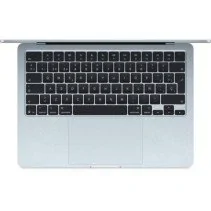
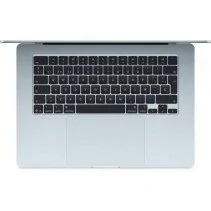
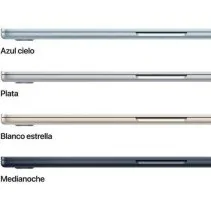
No. Sky Blue is one of the official finishes available for the MacBook Air M5. The color does not alter performance or specifications when comparing devices with the same processor, memory, and storage configurations.
If both versions feature the same M5 chip and 16 GB of memory, the main difference is storage capacity. The 1 TB version offers double the internal space, while 512 GB may be sufficient for users who do not need to store large amounts of videos, photos, or projects directly on the Mac.
Consulta información de los mejores portátiles Apple en nuestro blog y consigue las mejores ofertas.

MacBook Pro M5: analyzing Apple's new generation of laptops...
Read more
We analyze Apple's 3 best-selling laptops: MacBook Air M4...
Read more
Learn how to choose the ideal Apple computer based on your needs.
Read more